Preparing to Use Emma
We recommend exporting any analytic data, images, and contact lists that you need from your previous email newsletter platform so that the data isn’t lost.
Naming Conventions
Choose a logical, consistent naming convention for campaigns. You can’t tag sent campaigns or move them into folders to keep them organized, so clear naming will help with searching later.
Templates
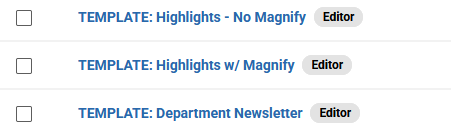
We do not recommend using the template feature, as users cannot edit/update templates. We recommend creating templates as draft campaigns and starting (or ending) each campaign template name with “TEMPLATE.” Example:

Images
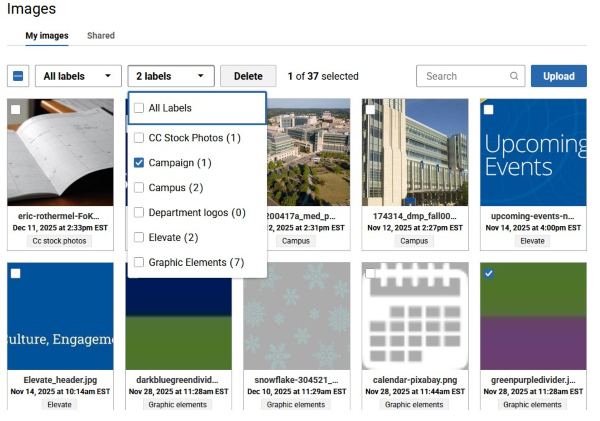
You can tag/label/categorize photos. When you upload a photo, you will see the ability to sort by labels. If you click the checkbox for the photo you want to label, you can add any of those labels to the photo or create a new label. We recommend doing this for frequently used images, e.g., department logos, placeholder images, frequently used banner images, etc.