
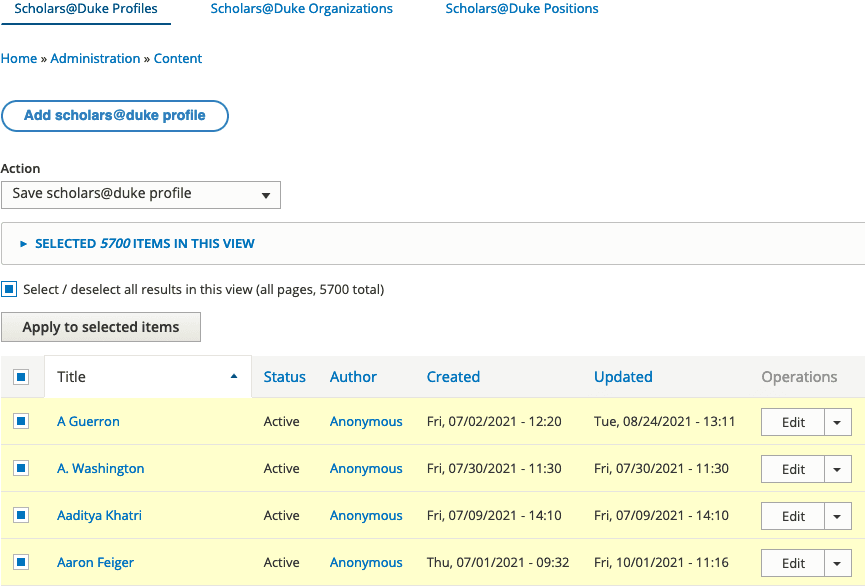
- Select Content > Scholars@Duke Profiles from the top admin menu.
- Set the Action drop-down menu to Save scholars@duke profile.
- Check the Select / deselect all results in this view box.
- Click the Apply to selected items button.
Note that the resaving process could take several minutes depending on the number of scholars imported to your site.